Smart name tags for dogs and cats: what to know before you buy
How to choose a pet ID tag: waterproof material, the right size for your pet, engraved vs QR tags, and what to add to the PetID profile before the first walk.
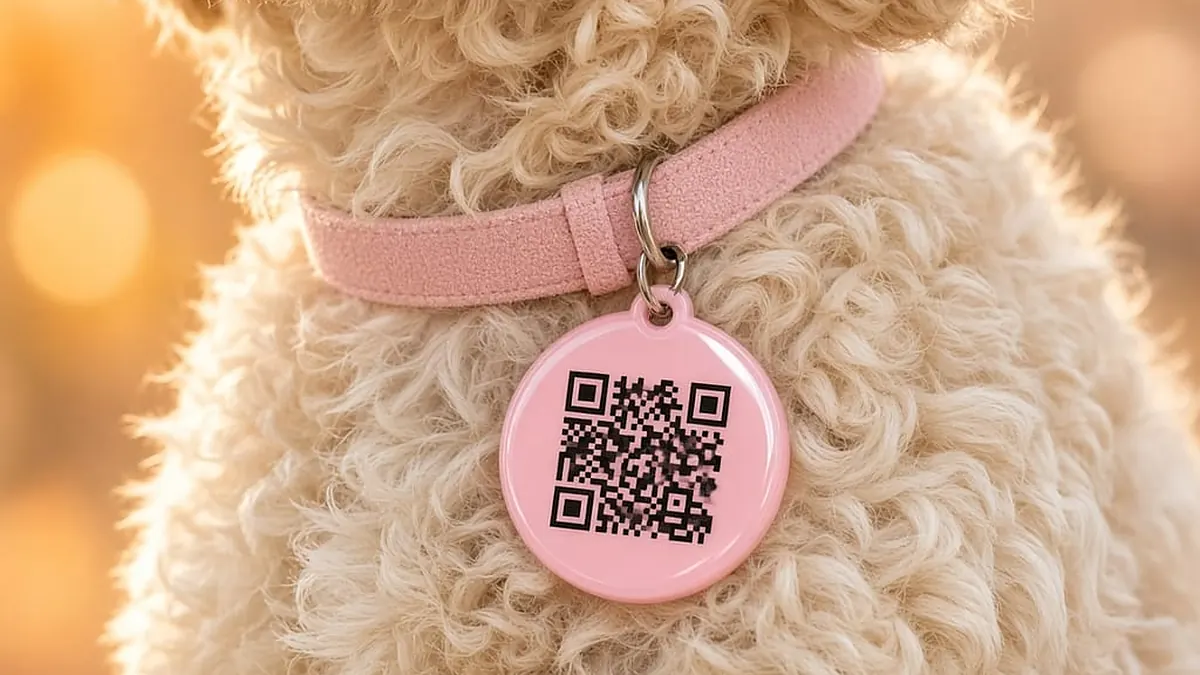
Material and water resistance
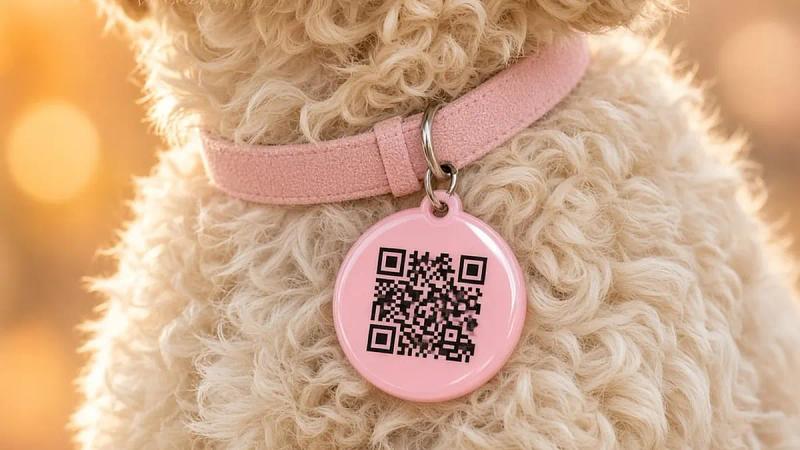
Choose silicone, hard plastic or rust-resistant coated metal. The QR code should be printed or engraved deeply enough that it does not peel off after a few baths. Test it: spray the tag with water, then scan it again with a phone.
Pick a size to match your pet's weight and collar
Cats and small dogs need a light tag that does not drag on the neck. Large dogs need a strong ring. Fit the collar so two fingers slide underneath: not so loose that your pet can slip out while running.
Engraved tags vs QR tags
An engraved phone number is handy, but hard to change if you switch SIM cards. A PetID QR tag lets you update your phone number, a temporary address and lost status without buying a new tag.
Link the tag to a digital profile before going out
Create the profile and switch on the minimum public information (your pet's name, a photo and how to contact you). Test the scan on someone else's phone. If the tag breaks or goes missing, order a new QR collar tag in the app.
How should you measure before ordering?
Measure the neck while your pet is standing, not sitting, because the skin around the neck sits differently. Run a soft tape measure close to the fur, then add about two fingers' width so the clasp does not squeeze. Save the measurement in the profile, so next time you change tags you do not have to measure a wriggling pet.
Cats and small dogs need a light clasp. Heavy-duty hardware made for big dogs is bulky and jingles with every step. A tag that is too heavy makes your pet scratch at the neck all day. A tag that is too small has a code too faint to scan in bright sunlight. For more on fit and materials, see our guide to choosing a dog or cat collar.
The material should handle water and have no sharp edges. After a bath, feel the clasp again. If the collar stretches after a few weeks, measure again rather than punching extra holes until it digs into the skin.
Compare the options on the QR collar tag and PetID card page: one is worn every day, the other lives in your wallet for vet visits. Many households use both, because a collar can slip off while the card in your wallet still opens the profile in the PetID app.
How are engraved tags and QR codes different?
An engraved tag shows a fixed phone number on the metal. Change your number and you need a new tag, and while you wait for it, your pet goes outside with the old number. A QR code opens a digital profile. You edit your number and photo in the app, and the next scan shows the new details. No waiting for an engraver.
Finders do not need to install anything. A phone camera is enough, as long as the code sits outside the fur. A tag hidden under a long mane is one a kind stranger will never see.
Before you buy, ask a family member to scan a sample with their own phone, both outdoors in sunlight and indoors. If they have to hold the phone right up against it, choose a larger print. Note the test result in the profile so you know which tag your pet is wearing. For a step-by-step walkthrough, read how pet QR tags work.
When during the day should the tag be on?
Whenever your pet goes outside, into the yard, or when guests are coming and going. Many owners take the collar off at home with the doors shut so their pet can relax, then forget to put it back on just as the door opens. Hang the tag right next to the leash, not in a drawer.
A harness is a backup spot if your pet often slips out of collars. A tag on a harness still needs the code visible, not hidden in a fold of fabric. The PetID card in your wallet does not replace the collar, because a finder on the street does not have your wallet.
Every time you go for a walk, touch the clasp once. It takes a few seconds and catches a missing tag before your pet gets lost. If a tag falls off outside, lock the old code in the app so strangers cannot open your profile from a tag that is no longer on your pet.
What does the digital profile need before you attach the tag?
A clear photo of the face, your pet's name, breed, and at least one phone number that actually gets answered. Add a second number for someone who is home while you are at work. Only show your home address if you are comfortable with anyone who scans seeing it. Hiding it is the safer default.
Write one identifying line: a patch of fur, floppy ears, the collar colour. The finder can compare that line with the animal in front of them and avoid mix-ups.
Once the tag is on, ask someone who has never opened the profile to scan it. They should see a call button without needing an account. If they have to install an app, that is not the kind of tag you need.
When should you replace a tag before it falls off?
Replace it when the code is faded, cracked or painted over. Wipe off any mud with a dry cloth first. If it still will not scan from about a hand's width away, order a new tag and lock the old code.
If your pet gains weight, measure the collar again. A tight collar makes your pet scratch, and hard scratching can knock the tag loose. If your pet loses weight, the collar gets loose and can slip over the head.
Changing tags does not mean changing profiles. The same profile in the app is linked to the new code. Anyone who saved your number can still call. Only the code on the old tag stops opening the page. To see how tags fit into a wider plan with microchips and GPS, read should you use an anti-lost tag.